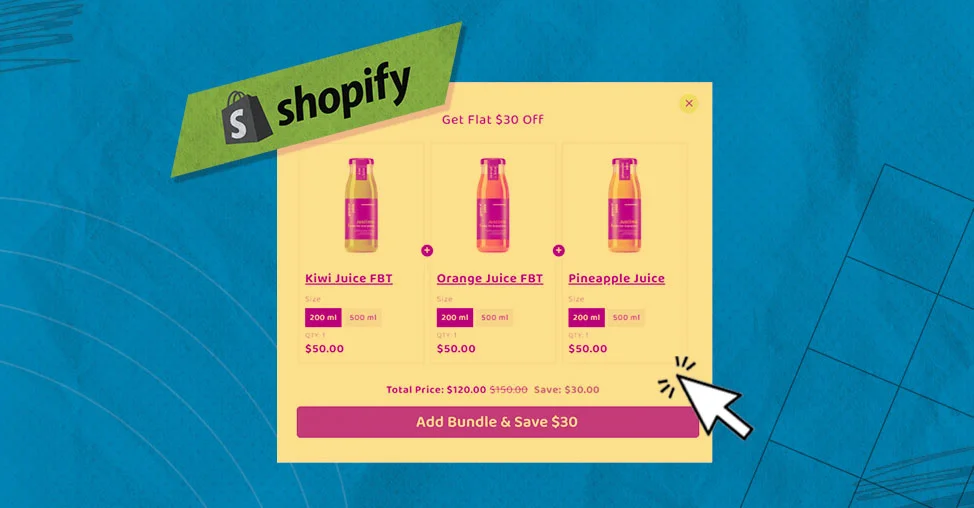
If you’ve ever tried to run ads for product bundles on Shopify, chances are you’ve hit the same wall I did:
“The bundle looks like one product in my store, but I can’t advertise it as one product.”
At first, I thought it was just a setup issue. After digging through Shopify docs, community threads, and way too many failed ad campaigns, I realized this is actually a structural limitation, not a simple mistake.In this post, I want to share why Shopify bundles don’t work well with ads by default, and more importantly, the practical ways sellers are working around it in real stores.
The Core Problem (That No One Tells You Clearly)
On Shopify, most bundles are not real products from an advertising platform’s point of view.Even if:
- The bundle has its own product page
- The price looks unified
- The customer checks out with “one item”
Behind the scenes, Shopify still treats it as multiple individual SKUs combined at checkout.Advertising platforms like Google Shopping, Meta Catalog Ads, and TikTok Ads don’t understand that logic. They need:
- One product
- One SKU
- One inventory record
- One feed entry
Shopify bundles usually fail this test.So what happens in practice?
- Your bundle doesn’t show up in Google Merchant Center
- Meta only sees the individual products, not the bundle
- A single bundle purchase gets tracked as multiple conversions
- You can’t run standard product ads for the bundle itself
At this point, most sellers realize:
“Okay, Shopify bundles are fine for on-site upsells, but terrible for paid traffic.”
What I Tried First (And Why It Didn’t Work)
Like many sellers, I started with:
- Shopify Bundles (the official app)
- A couple of popular third-party bundle apps
They worked perfectly on the storefront. Conversion rate even improved.But once I tried to scale with ads:
- Bundles wouldn’t sync to Google Shopping
- Meta Ads showed weird attribution
- ROAS reports made zero sense
That’s when I learned an important lesson:
If a bundle doesn’t exist as a standalone SKU, ads will always break somewhere.
The First Real Fix: Treat Bundles as Real Products
The most reliable solution I’ve seen — and now use — is surprisingly simple in concept:Create bundle products as actual products in Shopify.That means:
- A separate product listing
- A unique SKU
- Its own title, images, and price
From the ad platform’s perspective, this suddenly becomes a normal product.Now Google Merchant Center, Meta Catalogs, and TikTok Ads all understand it.Of course, this creates a new problem:
inventory syncing.If your bundle includes:
- 1 × Product A
- 1 × Product B
You now have to make sure selling the bundle reduces inventory for A and B correctly.This is where most sellers give up — or mess up inventory.
How Sellers Actually Handle Inventory (In Reality)
There are two common approaches I see working in real stores:
Inventory Logic via Apps or Automation
Some sellers use apps or Shopify Flow logic so that:
- When the bundle sells → component inventory is reduced
- If any component is out of stock → the bundle is disabled
This requires setup, but it scales well.
Let Feed Tools Do the Heavy Lifting
Others skip creating bundles fully in Shopify and instead:
- Use feed management tools (like DataFeedWatch or Channable)
- Generate “virtual bundle products” only inside the product feed
- Push those bundles to Google or Meta without touching storefront logic
This is especially popular for Google Shopping campaigns.It’s not perfect, but it avoids breaking inventory.
Why Most Bundle Apps Still Fail for Advertising
Here’s a hard truth:
Most bundle apps are built for conversion, not for ads.
They focus on:
- UX
- Discount logic
- Cart behavior
Not on:
- Product feeds
- Catalog sync
- Attribution accuracy
So before choosing a bundle app, always ask:
- Does this create a real SKU?
- Does it sync to Google / Meta?
- How does it handle inventory deductions?
If the app only mentions “Online Store support,” that’s usually a red flag for ads.
What I’d Recommend If You Rely on Paid Traffic
If ads are a serious growth channel for your store:
- ❌ Don’t rely solely on Shopify’s native bundles
- ✅ Create bundle products that ad platforms can recognize
- ✅ Decide early whether inventory logic lives in Shopify or in your feed tool
- ✅ Test attribution before scaling spend
Bundles are great for AOV, but only if your advertising stack can understand them.
Final Thoughts
Shopify doesn’t block bundle advertising intentionally — it just wasn’t designed with advertising platforms in mind.Once you accept that limitation and stop trying to “force” native bundles into ads, the solution becomes much clearer.Treat bundles like real products, or let feed tools translate them into something ad platforms understand.That’s when bundle ads finally start working — and scaling.